
How it works
What the script does, from the first login to the moment you land in the city.
Overview
The Character & Spawn System replaces your multicharacter and spawn resources with one script. It runs on Qbox, QBCore and ESX, and finds your framework by itself.
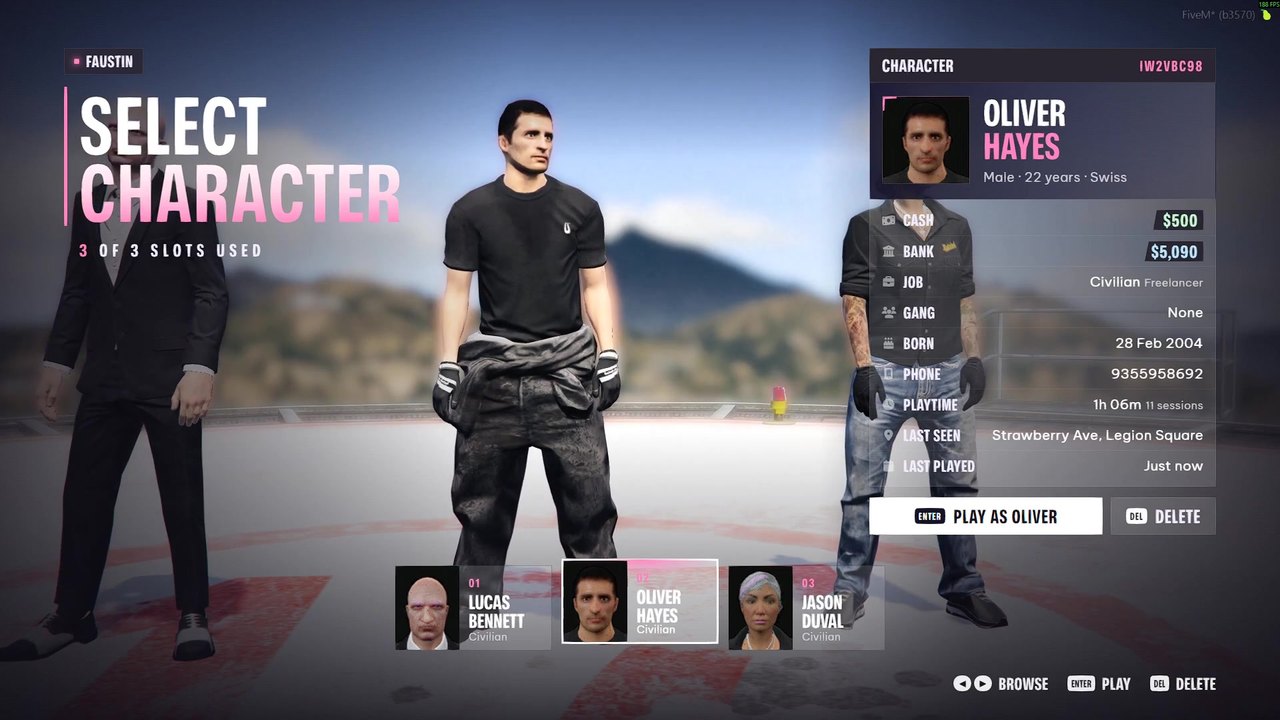
Character selection
Your characters stand side by side on the Maze Bank helipad and the camera glides between them.
- HD headshot of every character
- Panel with cash, bank, job, gang, birthday, phone, playtime, last seen and last played
- Hold to delete, which can be turned off
/charselecttakes you back here from the game
Character creation
New characters fill in an identity form with a San Andreas ID card that updates while they type, then go on to the appearance menu. Name, age and backstory are checked in the menu and again on the server.
Spawn menu
Next comes a grouped list of spots and a map of San Andreas with pins. A drone camera circles the selected spot and flies over the buildings between spots.
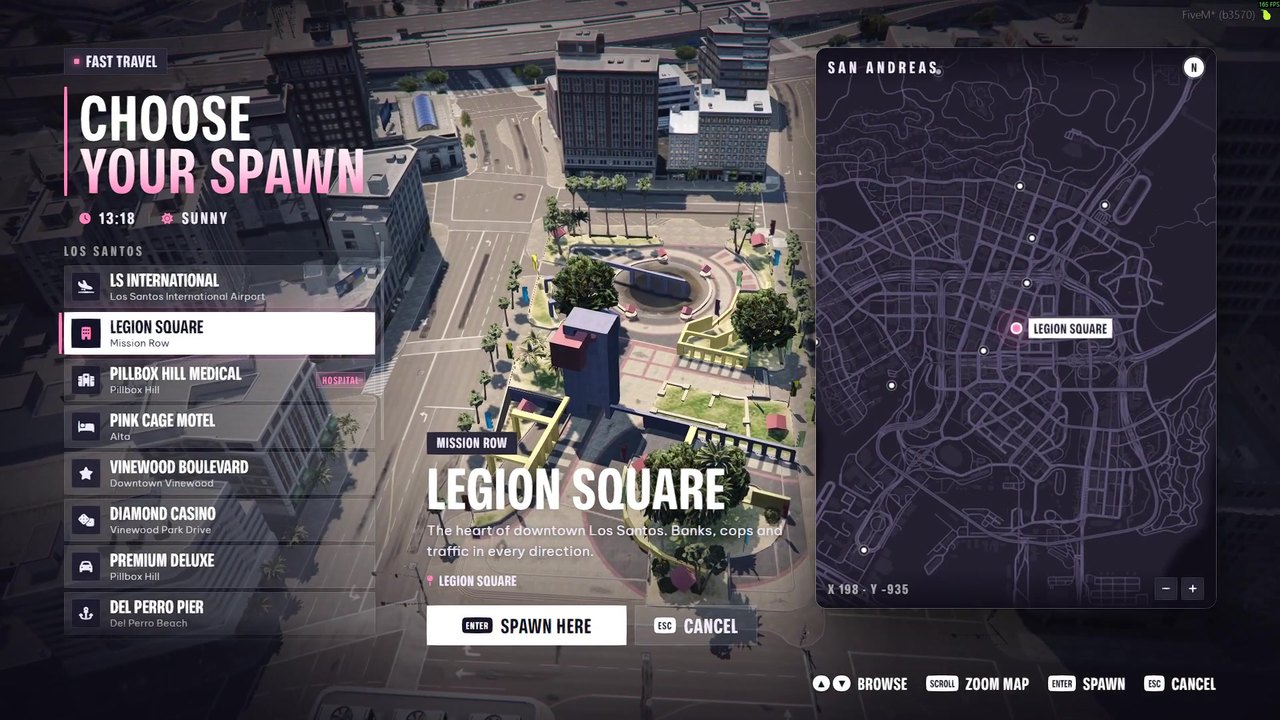
- Last location, your properties (Qbox with
qbx_properties), Los Santos and Blaine County - 16 spots included, with job locks and room for your own
/spawnmenuopens the same menu as fast travel while playing, ESC cancels
Transitions
| Value | What happens |
|---|---|
dive | The default. The drone dives in one smooth move to just behind your character, routed around buildings. |
switch | The classic character switch. |
fade | A plain fade to the spot. |
Performance
| State | Resmon |
|---|---|
| Menus closed | 0.00 ms |
| Character selection or spawn menu open | 0.02 to 0.04 ms |
| During the dive | up to 0.08 ms |
Measured in resmon on Qbox with version 1.2.0.